Working from home has plenty of perks, especially when you’re a dad trying to balance your career with family life. However, whether you’re attending virtual meetings, managing projects, or answering emails between school pickups, having a reliable computer can make your workday considerably easier. Finding the best laptop for working from home means choosing something that can handle your daily responsibilities without slowing you down when your schedule gets busy.
Everyone’s work from home setup looks a little different: some dads have a dedicated home office, while others work from the kitchen table or move between rooms throughout the day. The best laptop for working from home should fit your routine, with enough processing power for your workload, a comfortable keyboard, dependable battery life, and a quality webcam for video calls.
With so many brands, models, and features to compare, figuring out which laptop deserves your money can take some research. Whether you’re looking for an affordable everyday computer or a powerful machine for demanding projects, we’ve rounded up options worth considering. These recommendations will help you find the best laptop for working from home based on your budget, professional needs, and preferred way of working.
Best Laptops for Working From Home: Picks for Dads
Finding the best laptop for working from home depends on your typical daily responsibilities, budget, and how you prefer to work. Here are some of our top picks for dads:
1. Lenovo Yoga 7i 16 Inch Convertible Laptop
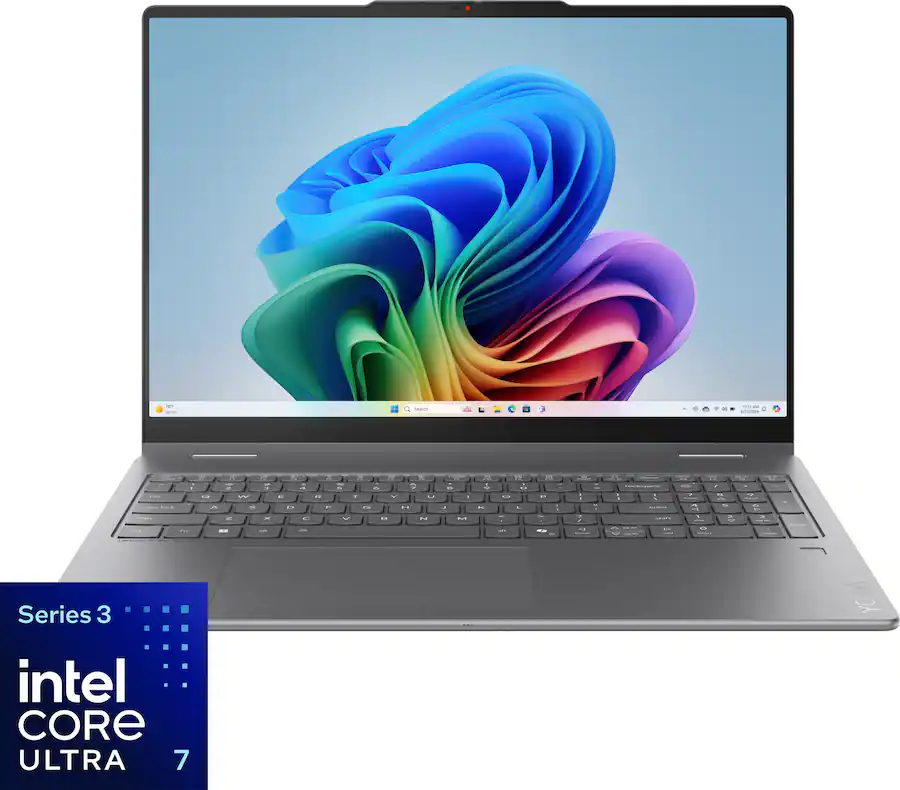
The Lenovo Yoga 7i is a solid choice for dads who want a versatile computer that can handle both professional responsibilities and everyday family activities. Equipped with an Intel Core Ultra 7 processor, 16GB of memory, and 512GB of storage, this laptop has the specifications to support video meetings, document editing, research, and routine multitasking. Its spacious 16 inch 2K touchscreen is particularly useful when you’re comparing spreadsheets or working with multiple windows.
What makes the Yoga 7i interesting is its convertible design. You can use it as a traditional laptop during the workday, then fold the screen into a different position for watching videos, reviewing presentations, or sharing something with your kids.
2. ASUS Zenbook 14 OLED
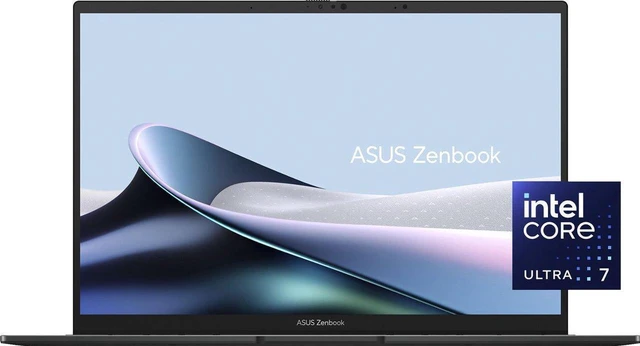
If your job involves editing photos, creating presentations, or spending long hours reviewing visual content, the ASUS Zenbook 14 OLED from Newegg could be a great option for you! This configuration combines an Intel Core Ultra 7 processor with 16GB of memory and a generous 1TB SSD, giving you lots of room for work documents, software, and larger project files.
The 14 inch OLED touchscreen is the standout feature, offering rich contrast and deep blacks that make images and graphics look really striking. Its compact screen size is also practical for dads who occasionally work from the dining room table, travel for business, or need to put their laptop away when the family needs the space.
3. HP OmniBook 5 16 Inch Laptop
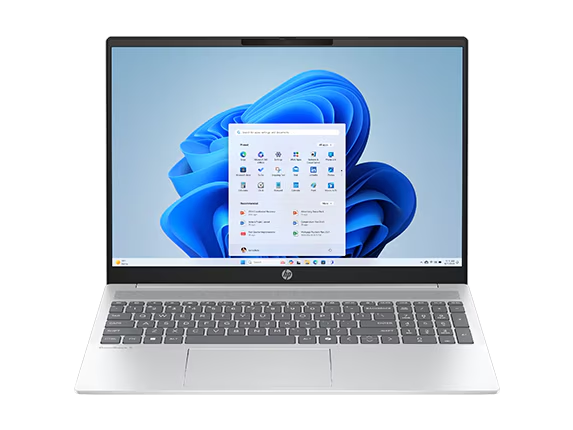
For dads who spend much of their workday juggling browser tabs, spreadsheets, and video conferences, the HP OmniBook 5 offers a practical combination of performance and screen space. This configuration features an Intel Core Ultra 7 processor, 16GB of RAM, 512GB of SSD storage, and a 16 inch 2K touchscreen.
The larger display is really useful if you regularly reference documents while writing reports or need extra room for detailed spreadsheets. HP also includes Windows 11 Home, making it familiar territory for people who already use Microsoft applications for work. Its touchscreen adds another way to navigate files and presentations, although you may still prefer an external mouse for extended desk work. Pro Tip: before purchasing, consider whether your employer requires Windows 11 Pro or specific security management features.
4. Lenovo IdeaPad Slim 3
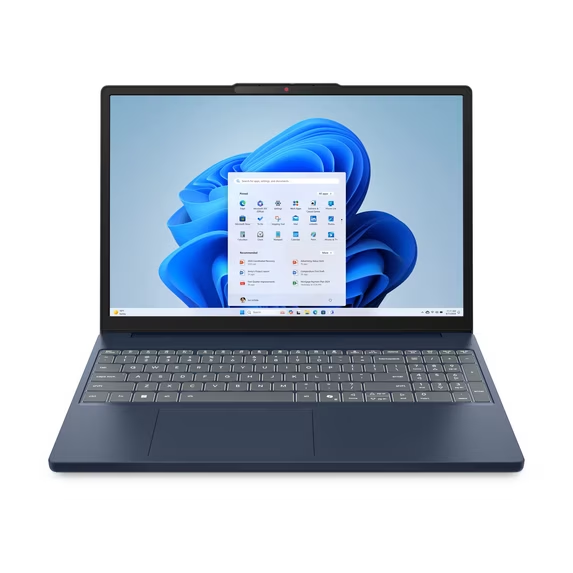
The Lenovo IdeaPad Slim 3 is worth a look if you want capable everyday performance without automatically moving into the premium laptop category. Featuring an AMD Ryzen 7 8840HS processor, 16GB of memory, and 512GB of SSD storage, this configuration offers enough processing power for common productivity applications and more demanding multitasking.
Its 15.3 inch display uses a 16:10 aspect ratio, providing additional vertical viewing space compared with traditional widescreen displays. That can be helpful when reviewing long documents, working in spreadsheets, or reading articles without constantly scrolling.
The IdeaPad Slim 3 is particularly appealing for dads who need a dependable Windows computer for office tasks, online meetings, and occasional personal use. Its integrated AMD Radeon graphics can handle everyday visual workloads, although serious gaming and intensive professional video production may call for a laptop with dedicated graphics.
5. Acer Aspire Go 15
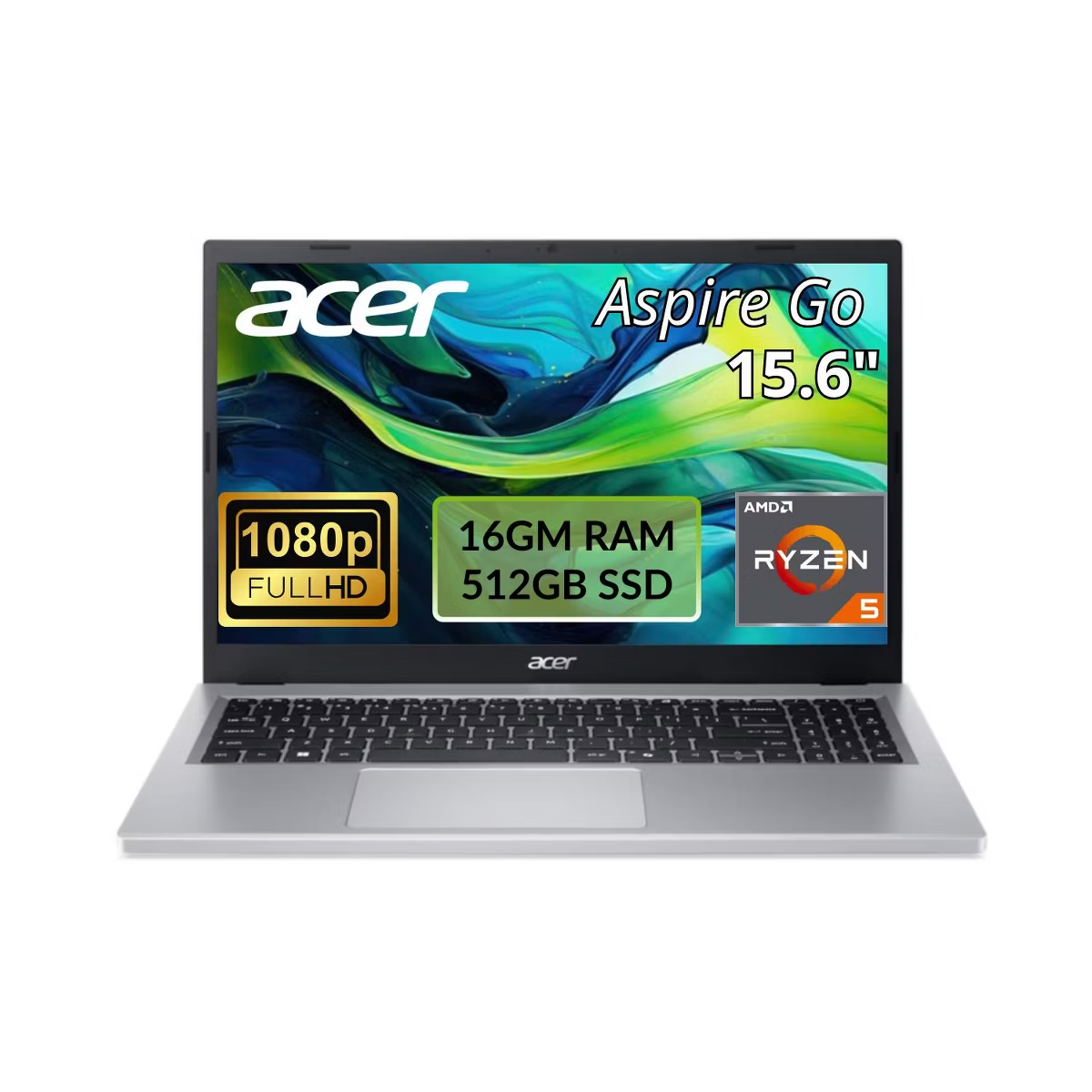
For dads who mainly work through a browser, communicate with colleagues online, and handle everyday administrative tasks, the Acer Aspire Go 15 offers another option worth comparing. The configuration featuring an AMD Ryzen 5 7520U processor, 16GB of memory, and a 512GB SSD is designed for general productivity rather than demanding creative workloads.
Its 15.6 inch Full HD display gives you a comfortable amount of screen space for writing, reading, and working with online applications. That makes it a reasonable choice for dads who spend their days managing client communications, updating spreadsheets, or handling routine business responsibilities.
However, it’s important to note that its processor and integrated graphics aren’t intended for intensive rendering or advanced gaming. If your professional workload is pretty straightforward, you may find that this model provides the features you need without paying for performance you won’t regularly use.
Related: How to Form a Business – Everything You Need to Know
What Should You Look for in the Best Laptop for Working From Home?
Finding the best laptop for working from home involves more than comparing prices or choosing a familiar brand. You’ll want a computer that can comfortably handle your daily workload, whether that means managing spreadsheets, attending virtual meetings, or running several applications at once.
How Much RAM Do You Need for Everyday Work Tasks?
For most people working remotely, 16GB of RAM is a practical starting point. RAM, or random access memory, temporarily stores information that your computer needs while running applications. Having enough memory allows you to switch between programs without experiencing as many slowdowns, especially when you’re juggling multiple tasks.
If your typical workday involves Microsoft Teams meetings, Google Chrome tabs, spreadsheets, and document editing, 16GB should provide comfortable performance for most everyday activities. A laptop with 8GB can still handle basic tasks, but you may notice limitations when several demanding applications are open simultaneously.
For more intensive work, such as video editing, software development, or handling particularly large datasets, 32GB may be worth considering. Remember that some modern laptops have memory that’s permanently attached to the motherboard, meaning you won’t be able to upgrade it later. Checking the available RAM before purchasing can help you avoid replacing your computer sooner than expected.
Which Laptop Processor Is Best for Remote Work?
Your laptop’s processor, often called the CPU, handles the instructions that keep applications running. Both Intel and AMD manufacture processors suitable for remote work, although performance varies considerably between individual models and generations.
Intel Core processors are commonly found in everyday business laptops and can handle tasks like web browsing, email, video conferencing, and Microsoft Office applications. Newer Intel Core Ultra processors also appear in many modern laptops, with certain models offering dedicated hardware for AI features and improved power efficiency.
AMD Ryzen processors are another strong option, particularly for multitasking and productivity. Depending on the model, they can deliver competitive performance and capable integrated graphics without requiring a separate graphics card.
When comparing processors, pay attention to the specific model rather than assuming a Core Ultra 7 or Ryzen 7 will automatically outperform every lower numbered option. Processor generation, cooling, and power limits can significantly affect performance. For typical remote work, a modern Intel Core 5, Core Ultra 5, or AMD Ryzen 5 processor is often sufficient, while more demanding workloads may benefit from higher performance models.
How Important Are Battery Life and Portability?
Battery life becomes really important when your home office isn’t always in the same room. Maybe you prefer working at the kitchen table in the morning before moving to a quieter space for afternoon meetings. Having a laptop that doesn’t constantly need to be plugged in gives you more flexibility throughout the day.
For dads who regularly move between workspaces, aiming for at least eight hours of battery life during typical productivity tasks is a reasonable goal. However, manufacturer estimates don’t always reflect everyday usage. Screen brightness, video calls, background applications, and processor demands can all affect how long a laptop lasts between charges.
Weight matters, too. A lightweight 14 inch laptop is generally easier to carry around the house or pack for business trips than a larger 16 inch model. If you mostly work at a dedicated desk, though, you might prefer a heavier laptop with a spacious display.
What Screen Size Is Best for a Home Office?
The best screen size for working from home typically falls between 14 and 16 inches, although your ideal choice depends on how you use your computer and your own personal preferences, obviously. Here’s how some of the most common sizes compare:
| Screen Size | Best For |
|---|---|
| 14 inches | Dads who travel frequently or move between workspaces |
| 15 inches | Everyday productivity with a balance of portability and screen space |
| 16 inches | Spreadsheets, detailed documents, and multitasking at a desk |
Do You Need a High Quality Webcam for Working From Home?
If video meetings are a regular part of your job, then yes, webcam quality deserves more attention than you might expect! A clear picture and reliable audio can make video conversations feel a bit more professional.
For the majority of remote workers, a built in 1080p webcam is a good feature to look for. It generally provides more image detail than a standard 720p camera, although actual picture quality also depends on the camera sensor, lighting, and image processing. Features such as automatic exposure adjustment and background noise reduction can be helpful when your workspace isn’t completely quiet.
Microphone quality is equally important. If you’re a dad working from home with kids nearby, a laptop with effective noise suppression may help reduce distracting background sounds during meetings. A comfortable headset with a dedicated microphone can also be a worthwhile investment if you spend several hours on calls each day.
Related: Career Upgrade Strategies For Dads Looking for a Fresh Start
Best Laptops and Work-From-Home Accessories for Dads Who Work From the Kitchen Table

Ultimately, the best laptop for working from home as a dad is one that helps you stay productive and on top of things. Take some time to compare the features that matter most to you, consider how much you’re comfortable spending, and think about how your laptop will fit into your daily routine. With the right computer, you’ll have a dependable setup that makes it easier to tackle your responsibilities!
Read Next: Tired of Pizza and Wings? Try These Game Day Delivery Ideas From DoorDash Instead